Practical guide
How to use the GTA 6 map
Leonida is huge and most guides make you scroll through screenshots. Here are all 1,757 locations in one place: filter, search, tick off what you have done and work out the shortest route for your next session.
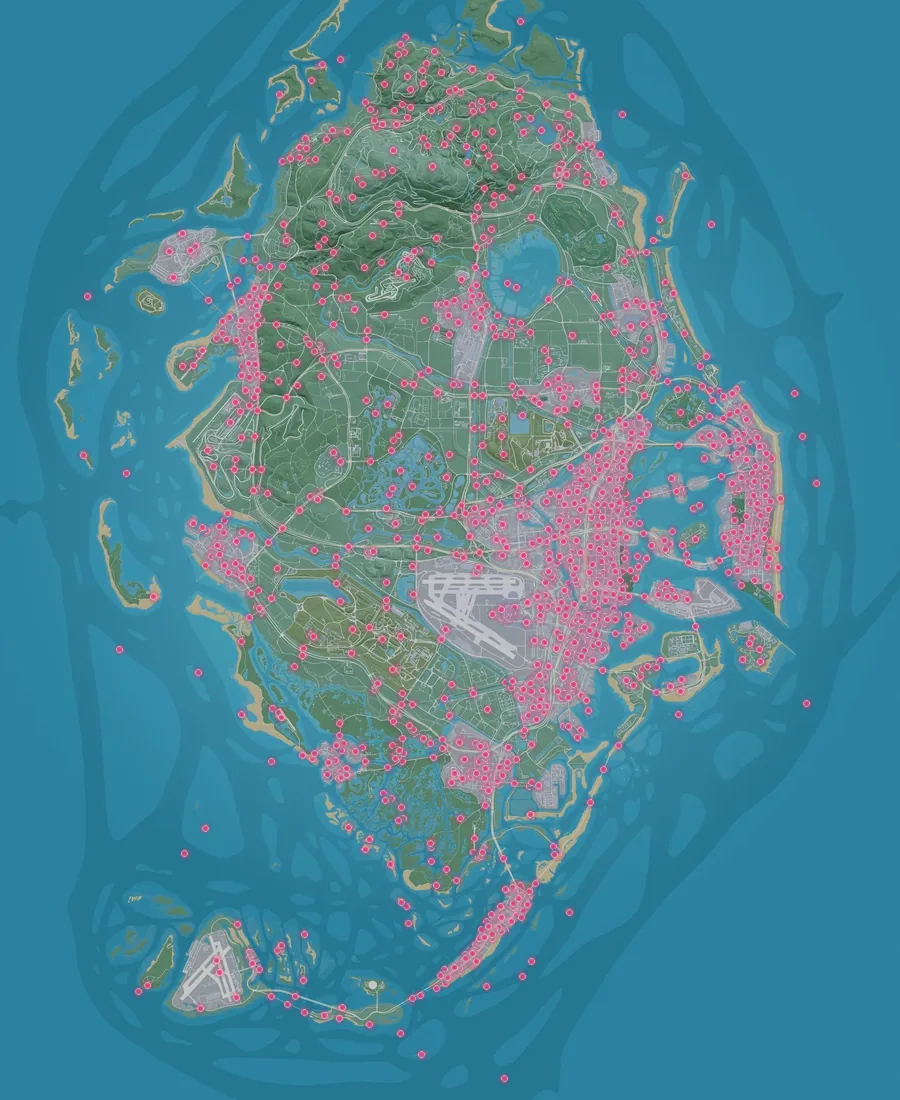
What you can do
- Filter by category: 67 categories in 10 groups. Turn on only what you are looking for and the map clears up.
- See only what is left: the “Only pending” switch hides everything you have already marked as found.
- Track progress: every location card has a button to mark the point as found. It is saved in your browser.
- Share: send your progress or a specific route as a link, with no accounts and no sign-up.
- Plan a route: choose a category and a number of stops, and the map gives you the shortest order from the point you pick.
- Search: type the name of a place or a category and jump straight to its card.
What is in each group
- Robberies: Shops, safes and businesses you can hit. Every pin tells you the kind of job and what you walk away with.
- Collectibles: Items that count towards 100% and unlock rewards. Worth planning the route before you set off.
- Collectible cards: Cards hidden in houses, rooftops and shops. Each one belongs to a different team or programme.
- Activities: Minigames, races, random events and other optional activities that pay out.
- Vehicles: Petrol stations, garages, transport hubs and the exact spots where a specific vehicle shows up.
- Weapons: Places to pick up guns, body armour and ammo, plus every Ammu-Nation store.
- Style: Shops to change how Jason and Lucia look, and stores for phones and gadgets.
- Food & drink: Places to eat, drink or top up health across the state.
- Places: Towns, hospitals, police stations, cinemas, marinas and other services on the map.
- Properties: Safehouses and garages that double as a spawn point, a wardrobe and extra storage for your cars.
Planning a collectible run
- Open the map and select Route.
- Choose the category (knife flights or stunt jumps, for example).
- Leave “Only what I still need” on and set a realistic stop limit: 20 or 25 works well for one session.
- Hit Calculate route and check the list: it is ordered to keep the straight-line distance short.
- Share the route link or copy it to your phone, then tick off each point as you get there.
Distances are straight-line: they are meant for ordering the run, not for estimating driving time.
Guides by topic
- Real-life locations: 190 locations
- All collectibles: 627 locations
- Collectible cards: 90 locations
- Rare cars: 101 locations
- Safehouses and garages: 18 locations
- Weapons: 25 locations
- Mod shops and Pay 'n' Spray: 35 locations
- Waink: 89 locations
Frequently asked questions
Is this an official Rockstar map?
No. It is an independent, fan-made project built from public data and community work. It is not affiliated with or endorsed by Rockstar Games or Take-Two.
Is my progress saved?
Yes, in your own browser. No account is needed and nothing is sent to our servers. You can share your progress with a link or clear it whenever you want.
Does it work on mobile?
Yes. The map is built to be used on a phone while you play: filters, search and location cards all adapt to small screens.
How many locations are there?
There are currently 1,757 locations across 67 categories.
How often is it updated?
Whenever the community adds or corrects points. Category lists and coordinates are regenerated with every map update.
Is it free to use?
Yes. The map is free, needs no sign-up and shows no ads.
About data accuracy
The map is built from public information, official material and community contributions. Some points may be slightly off, categories may be incomplete and names can change with game patches. If something looks wrong, tell us and we will fix it.